
Use Cases
Whatever you were about to lose track of.
Cue isn’t for a category of thing. It’s for the moment you think “I want to come back to this” — wherever that happens.
Browser tabs
Your tabs don’t have to be your memory.
Twenty-seven tabs open because closing one feels like losing it. Share the page to Cue instead. The link, its title and preview are saved — and the tab can finally close. Add a reminder if it needs to come back; leave it if it just needs a home.


Messages & WhatsApp
Can’t reply now? Cue it for later.
Someone asks you something. You’re in the middle of something else. You mean to answer — and then the conversation scrolls away under three others. Cue is the place to put it until you have a minute.
-
1. Screenshot the conversation
Take a screenshot of the conversation. Tap the thumbnail, then Share — or share it from Photos later.
- Cue

Message from Brian
Screenshot · Messages
Remind meIn 1 hour Today Tomorrow CustomRemind meSaved · Today · 8:00 PM2. Share to Cue · In 1 hour
Cue recognizes a Messages screenshot on your phone and names it after the sender. Pick when you want it back.
- Message from Brian now
What restaurants would you recommend?
3. It comes back, with context
The reminder brings the screenshot with it, so you know exactly what you meant to say. Done or Snooze right from the notification.
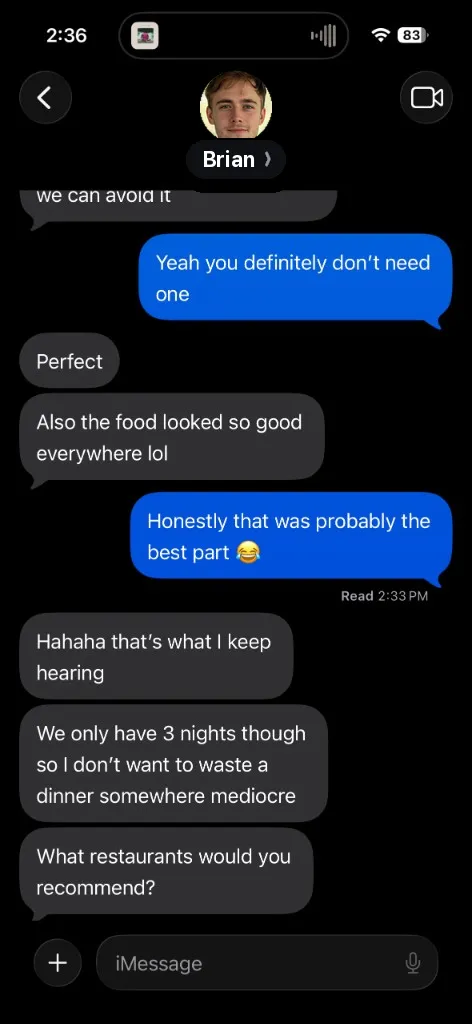


WhatsApp, Signal, and other apps work the same way — a screenshot or the message text saved to Cue with a reminder. Cue titles Messages screenshots automatically; for other apps, add a note if you want the name in the title.
Also useful: the recommendation buried in a chat — the restaurant, the book, the show. Save it with no reminder and it waits in Cue instead of in a thread you’ll have to scroll to find.
Cue never reads your messages in the background. It only sees what you choose to share.
Found while scrolling
Saved in the app is saved in the app.
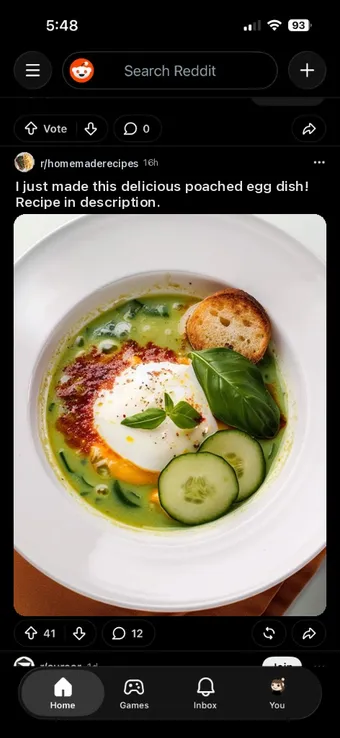
TikTok, Reddit, Facebook, Instagram — each has a “save” that only exists inside it. Share the post to Cue and it sits next to everything else, labelled by where it came from, with a reminder if you actually want to try that workout or cook that dish.




Products & decisions
Save now. Decide later.
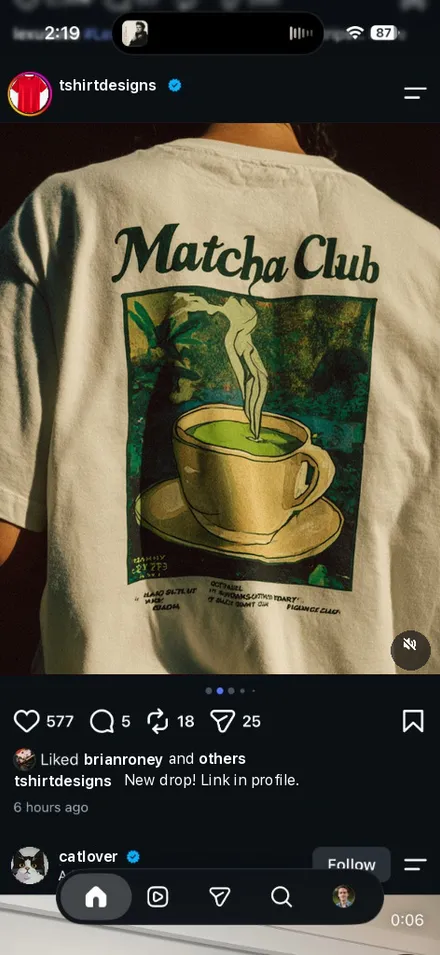
The shirt, the lamp, the shoes you’re not sure about. You don’t need to decide in the moment — and you don’t need another tab or a screenshot you’ll never find. Save it to Cue with no reminder, or one for payday.

Things you want to do later
Not now doesn’t have to mean never.
The workout for when you have energy. The recipe for a weekend. The trail, the museum, the course. Cue holds the intention and the link together, and a reminder on Tomorrow or a custom day turns “someday” into a time.
Music
The song you heard once.
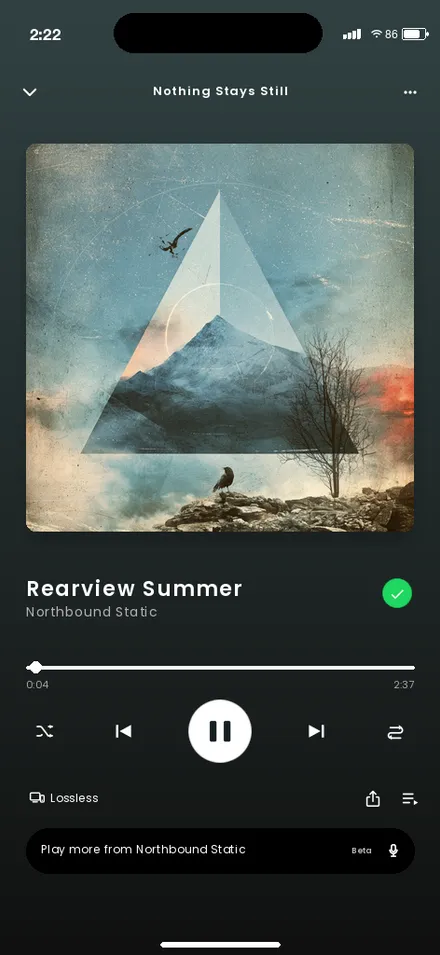
Share a track, album, or playlist from Spotify (or a YouTube link) to Cue. It’s saved with its title and a Spotify label, so it’s there when you’re making the playlist — not lost in a chat or a half-remembered lyric.

Screenshots
Your camera roll doesn’t have to be your memory system.
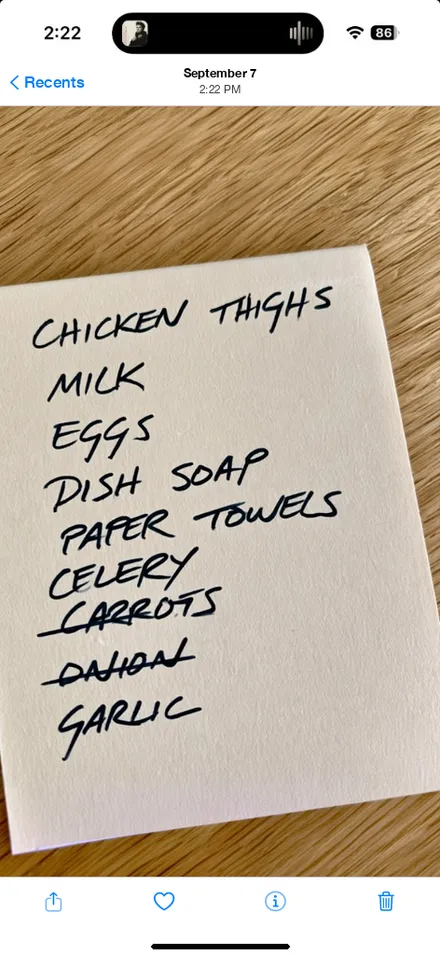
A shopping list, a confirmation code, a poster for something next month. Screenshots are fast to take and easy to bury. Share one to Cue and it gets a title, a place, and — if you want — a time to come back. The image itself stays on your phone.
Articles & reading
Read it when you can actually read it.
Not a reading list you feel guilty about — a place a long piece can wait until Today evening or the weekend.
Plans
Keep the plan with the thing.
The restaurant someone recommended, the Airbnb you liked, the friend’s question about Saturday. Save them together and set a reminder for when you’re actually deciding.
One place for all of it
Different apps. Same destination.
Where you found it stops mattering. Search across everything, filter by source when it helps, and let reminders do the remembering.
- The tab you’ll definitely read later.
- The recipe you’ll definitely make.
- The shirt you might buy.
- The message you need to answer.
- The song you don’t want to lose.
- The screenshot you took for a reason.
- The thing you were sure you’d remember.
Give it somewhere to go.
Cue's beta is currently free. Start with the thing you’d otherwise leave open.
Cue is free during beta. Paid subscriptions are planned for the public release.